







A visual menu
Select food and drinks by their images. Administrators can add and edit products.
PERSONAL PROJECTS / 01
 miBar
Free bar management software for Windows: organize table orders, generate VAT receipts and track income and expenses. Product photos and PDF and Excel reports for everyday work behind the bar.
Discover miBar ↓Select a table, add the items and create a receipt when the customer pays. Review income and expenses in Statistics.
01 / SALES AND RECEIPTS
EVERYDAY WORKProduct photos, separate food and drink categories, and orders organized by table. Visual selection for a faster workflow.
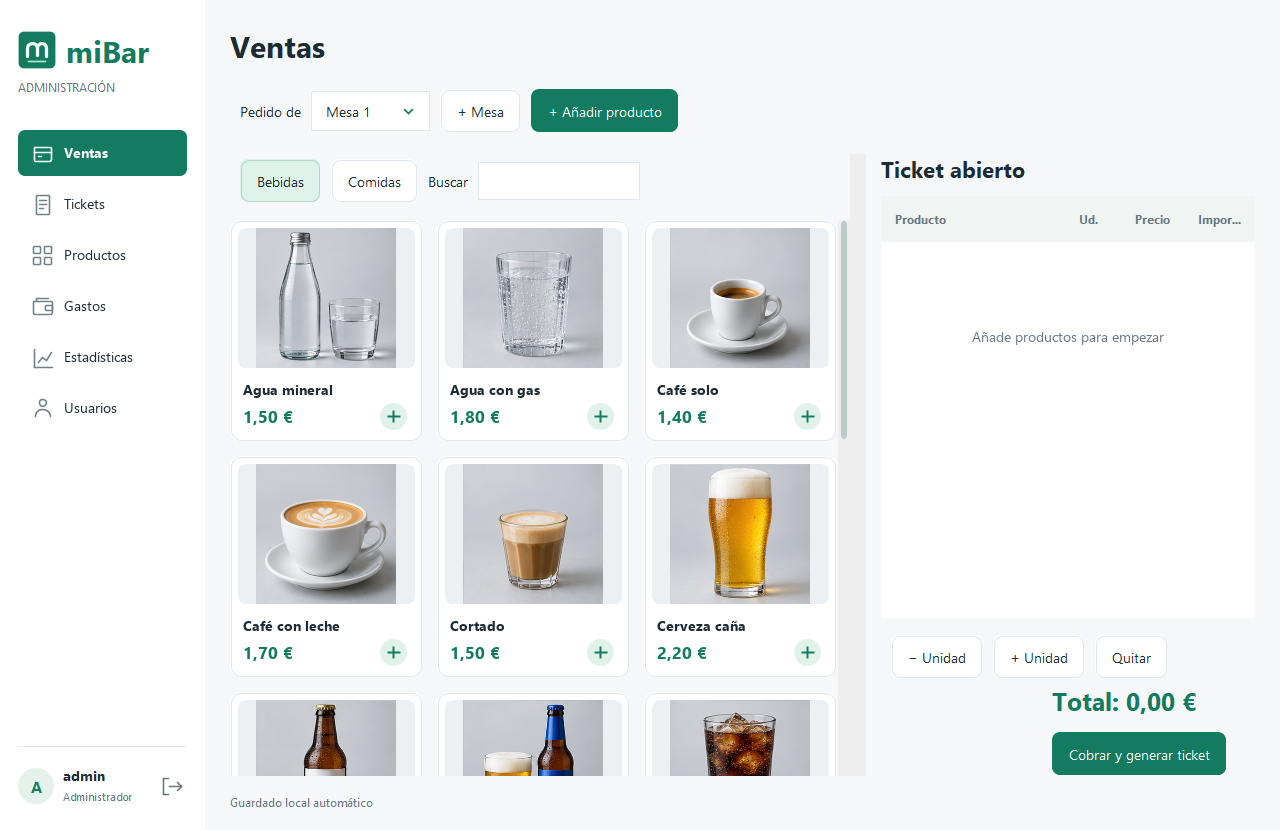
Select food and drinks by their images. Administrators can add and edit products.
Organize each order, record payment and save the receipt in a local folder.
VAT is included in the price, with the rate editable by the administrator. Each sale retains its breakdown.
02 / EXPENSES AND STATISTICS
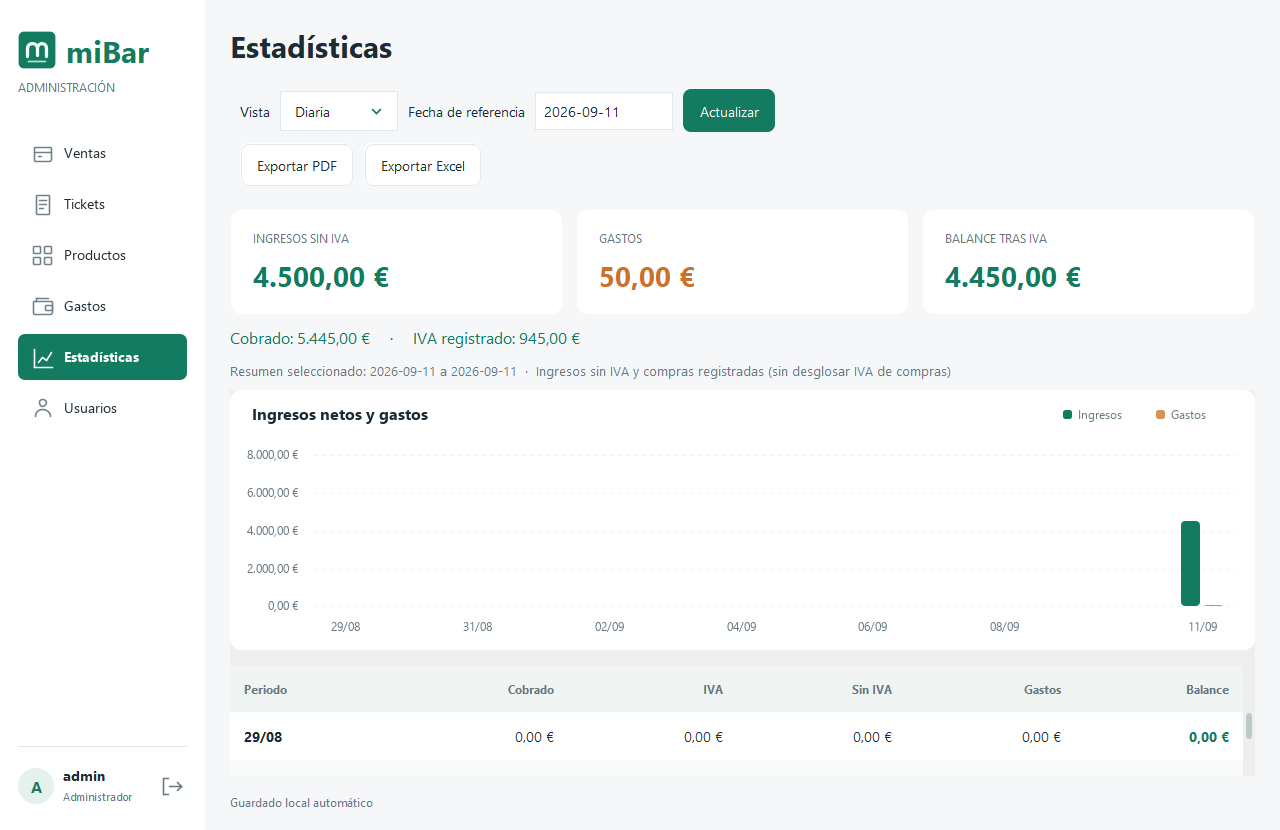
THE FULL PICTUREReview daily, monthly and yearly sales, compare income and expenses, and check the balance after recorded VAT.
Manage suppliers and record what you buy, its quantity, frequency and cost.
Export the selected period to PDF or generate an Excel file with a summary, sales, expenses and comparisons.
Staff manage sales. Administrators also access expenses, statistics, products and users.
DOWNLOADS
Download the Windows installer with Java included. Extract the ZIP and run the installer to get started.
64-bit Windows 10 / 11 · 150 MB free for installation
Recommended: 4 GB RAM and a 1280 × 800 display.
WHAT'S NEXT
Improvements planned for later versions. These features are not available yet and have no confirmed release date.
USAGE LICENSE
miBar can be used free of charge by individuals and organizations, including at work. The application may not be sold or commercialized without written permission.
Installation for personal, educational or internal business use. Your data and the results of your work remain yours.
Selling, renting or charging for access to the application is not permitted. Share the official link; redistribution requires permission.
Included libraries retain their own licenses. These terms apply to the original components.
Informational summary. Read the full terms of use.
Read the full license ↗GET STARTED WITH MIBAR
A tour of the Windows application's features.
Sign in as an administrator to add food and drinks with prices and photos. Staff can select them from the sales area.
Choose a table, add products to the order and confirm payment. The receipt retains the tax breakdown and is saved in a local folder.
Record purchases and suppliers in Expenses. In Statistics, select a period to compare income and expenses and export reports to PDF or Excel.
BEFORE YOU START
Select food and drinks, organize orders by table and generate receipts saved in a local folder. Administrators also manage products, suppliers, expenses, users and statistics.
Yes. The license allows free installation and use in your business. Selling, renting or charging for access requires written permission. Read the full terms on this page.
64-bit Windows 10 or 11 and 150 MB of free space. 4 GB RAM and a 1280 × 800 display are recommended. The installer includes Java: download the ZIP, extract it and follow the instructions.
Administrators can review daily, monthly and yearly sales, compare income and expenses, and check recorded VAT. The selected period can be exported to PDF and Excel.
Not yet. POS support, automatic cash handling, user settings and the mobile app are planned improvements with no confirmed release date.
A project by Daniel Rey Neira, software developer.