










Find the balance.
Choose high quality, balanced or smaller size. Adjust quality and see how your image changes before saving it.
Compress for the web ↗PERSONAL PROJECT / MIGA
 Miga
Compress, convert and resize your images in the browser. Prepare photos for your website, compare the result and download when you are happy with it.
No sign-up · No installation · Local processing

* AVIF depends on your browser's capabilities.
CHOOSE WHAT YOU NEED
Clear controls to adjust size, format and quality. Savings are calculated from the actual result, with no promises of fixed percentages.
Choose high quality, balanced or smaller size. Adjust quality and see how your image changes before saving it.
Compress for the web ↗Work with JPG, PNG and WebP. AVIF output is enabled when your browser can encode it.
Convert to WebP ↗Change dimensions while keeping the aspect ratio. Avoid delivering huge images where a smaller version is enough.
Resize images ↗Each link opens the relevant settings in Miga Online.
FROM IMAGE TO RESULT
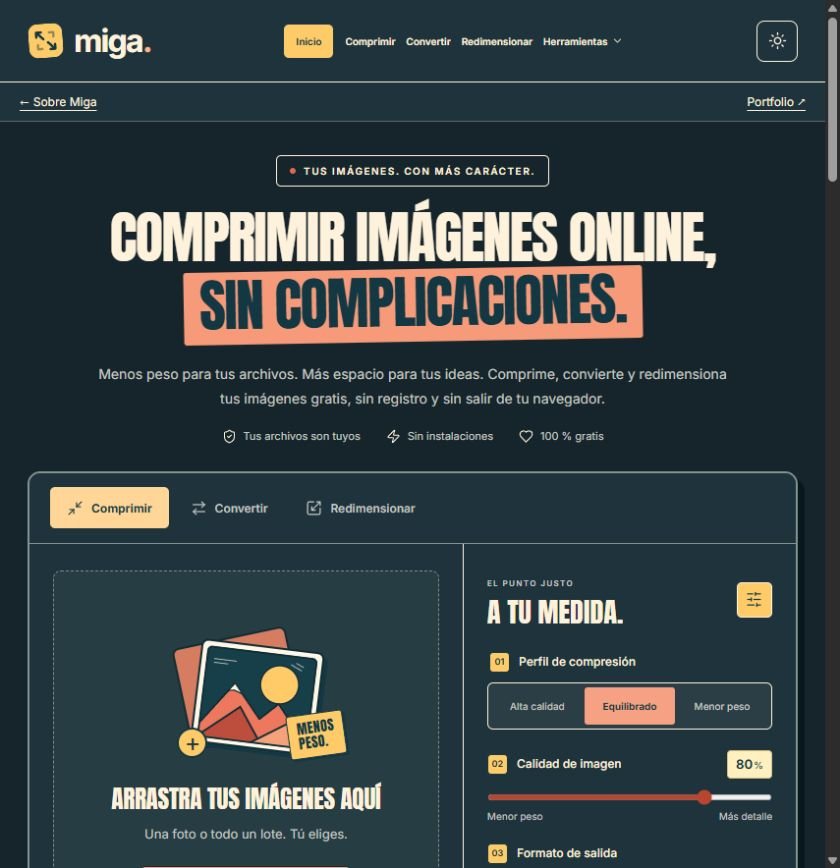
Add up to 30 still images, with a maximum of 30 MB per image and 150 MB per batch.
Compare the original and the result with a slider and zoom. Download each image or collect the results in a ZIP.
Controls adapt to small screens. Choose light or dark mode and work without creating an account.
READY IN YOUR BROWSER
Open Miga and try your first photo. Processing takes place on your device without uploading the file to a server.
Start using Miga ↗GOOD TO KNOW
Yes. Use the online tools without registration or installation.
No. Compression, conversion and resizing take place in your browser. You need to load the website to start.
No. It depends on the original file, format and settings. Miga shows the resulting size, even when the result is larger.
Only if your browser has a compatible encoder. Otherwise, AVIF output is disabled. Reading AVIF also depends on the browser.
Metadata is removed by default. You can keep EXIF when converting JPEG to JPEG; this information may include GPS location.
Suitable images can reduce the data your website downloads. Miga helps you prepare them, but search rankings depend on many other factors.