




What matters, up front.
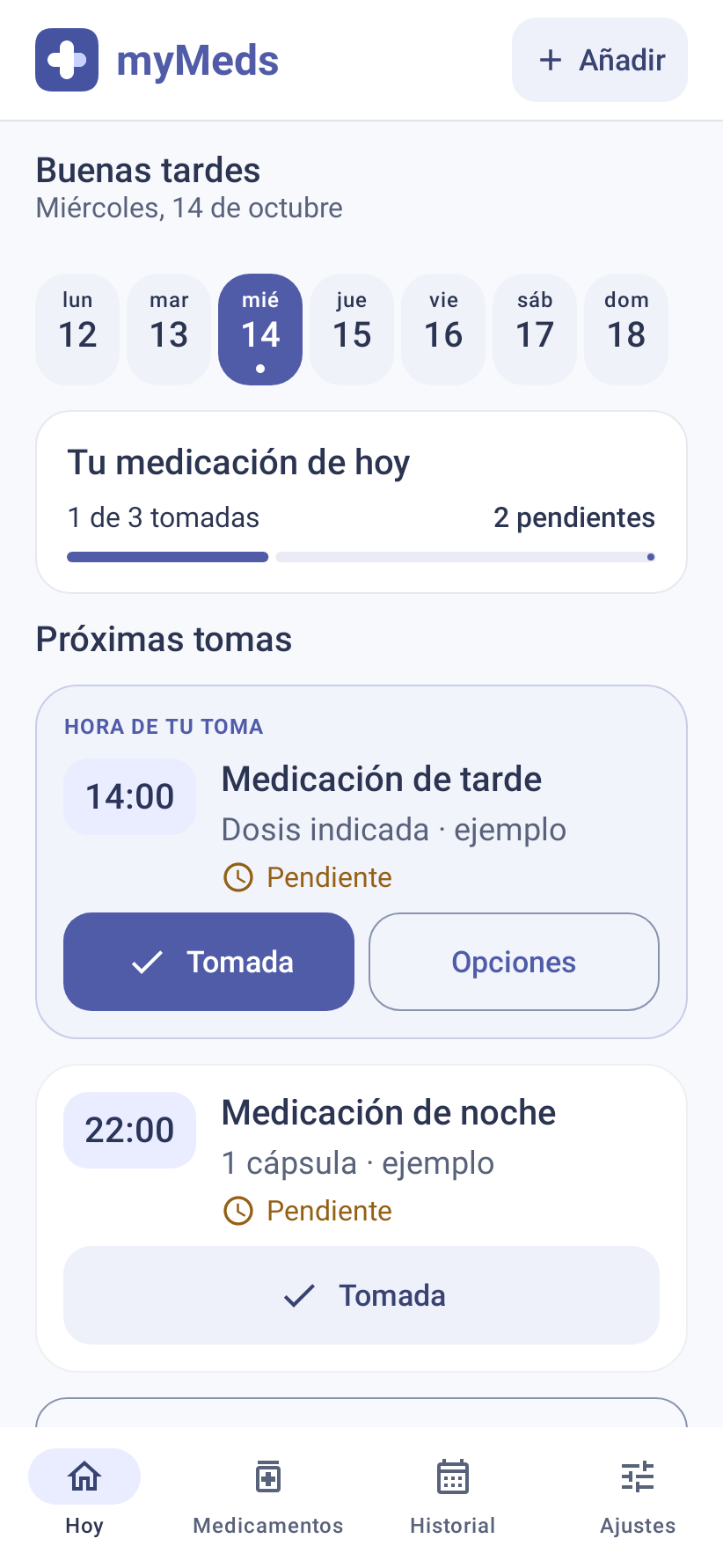
Weekly calendar, daily progress and cards with doses, notes and status. Confirming a dose saves the actual time.
MYMEDS / MEDICATION REMINDERS
 myMeds
 is a free medication reminder app. Organize schedules, receive reminders and track doses. An Android app designed around your routine, with no accounts and records stored on your phone. Reminders work offline; downloading information from AEMPS requires Internet access.
Download for Android ↓Started as Píldora · Now myMeds

Designed for Android. Made for everyday life.
Add the medicine and the schedule you already follow. Configure alerts and test the first one with your phone locked. Review recorded doses in the history.
01 / A CLEARER ROUTINE
A view for every moment: check your next dose, organize medication and review your records. Without having to remember everything yourself.

Weekly calendar, daily progress and cards with doses, notes and status. Confirming a dose saves the actual time.
Add multiple times, daily repeats, days of the week or a specific date. Edit, pause and resume whenever you need.
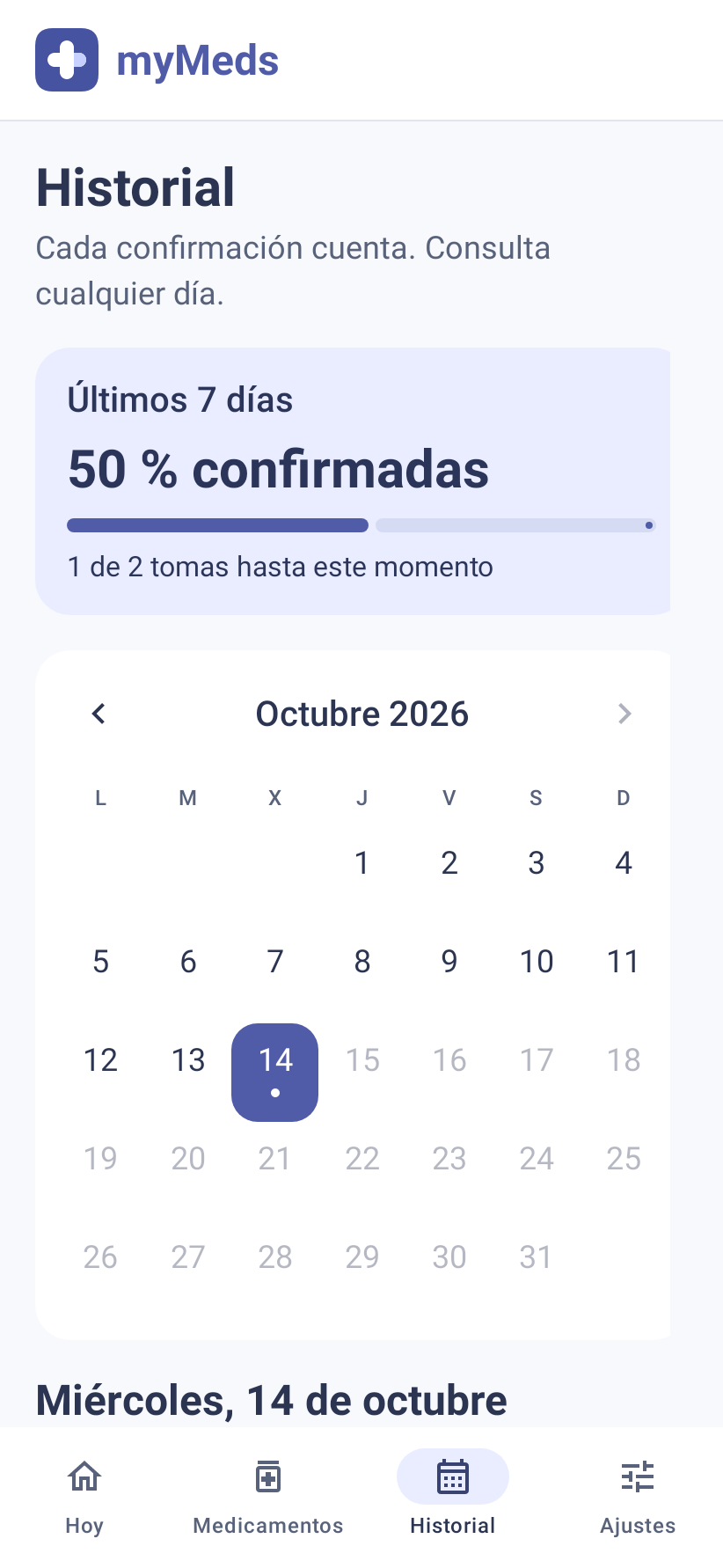
Check the monthly calendar and recorded statuses. Dismissing a notification does not mark a dose as taken.
Version 1.5.0 views generated with the native Android renderer and fictional data. Click any screenshot to enlarge it.
02 / AT THE RIGHT TIME
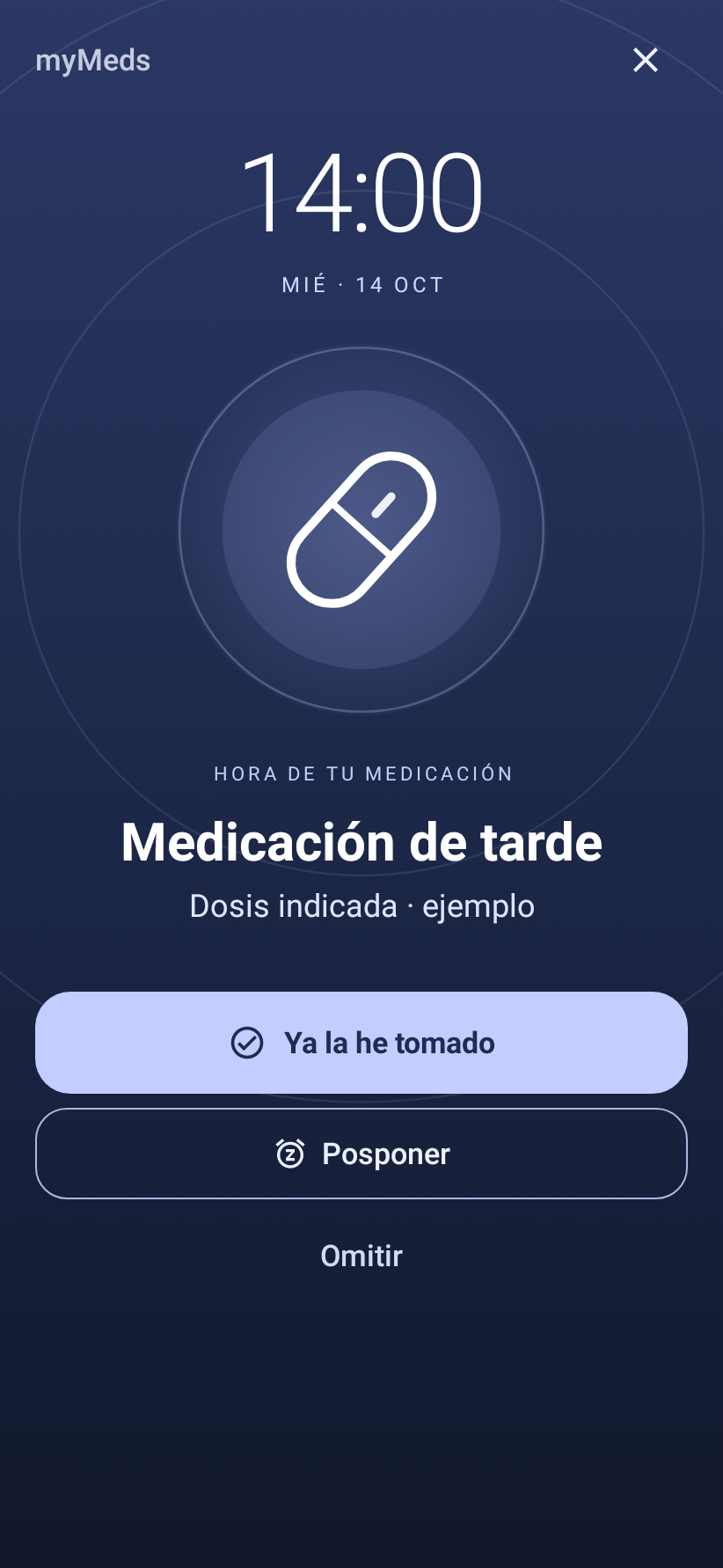
Confirm a dose, postpone the reminder by 5, 10 or 15 minutes, or skip it. With large buttons and statuses identified by text and icons.
A large clock, clear buttons and a new wave background. Configure sound and vibration in Settings; animations are disabled in simple mode or with reduced motion.
Enable notifications and exact alarms. On Android 14 or later, also check full-screen notifications.
Battery restrictions, volume and Do Not Disturb may affect reminders. Test an alarm with your phone locked before adding your usual schedule.
NEW IN MYMEDS 1.5
A redesigned reminder, reference tools and more control over what appears on screen.


Scan a label or open an image to recognize text and codes on the device. Check the name and enter the dose and schedule specified in your treatment.
Download the catalog and leaflets you need from AEMPS. Downloads remain available offline; the APK does not contain every leaflet.
Hide medication names in notifications and unlock your phone to view details. Organize medication without an app-imposed quantity limit.
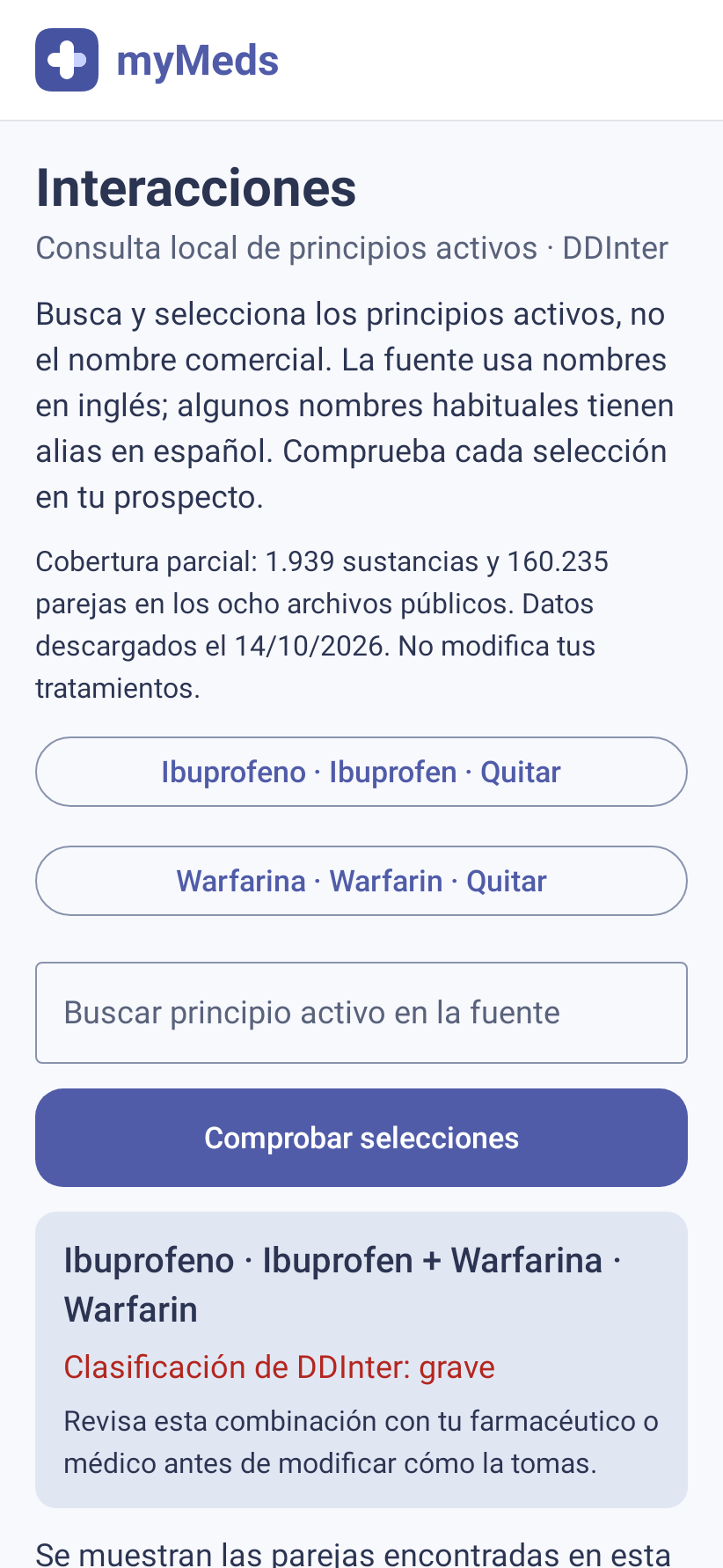
The interaction lookup uses a local selection from DDInter. Coverage is partial: no listed interaction does not mean a combination is safe. This is reference information and does not replace a healthcare professional's judgment.
03 / YOUR WAY
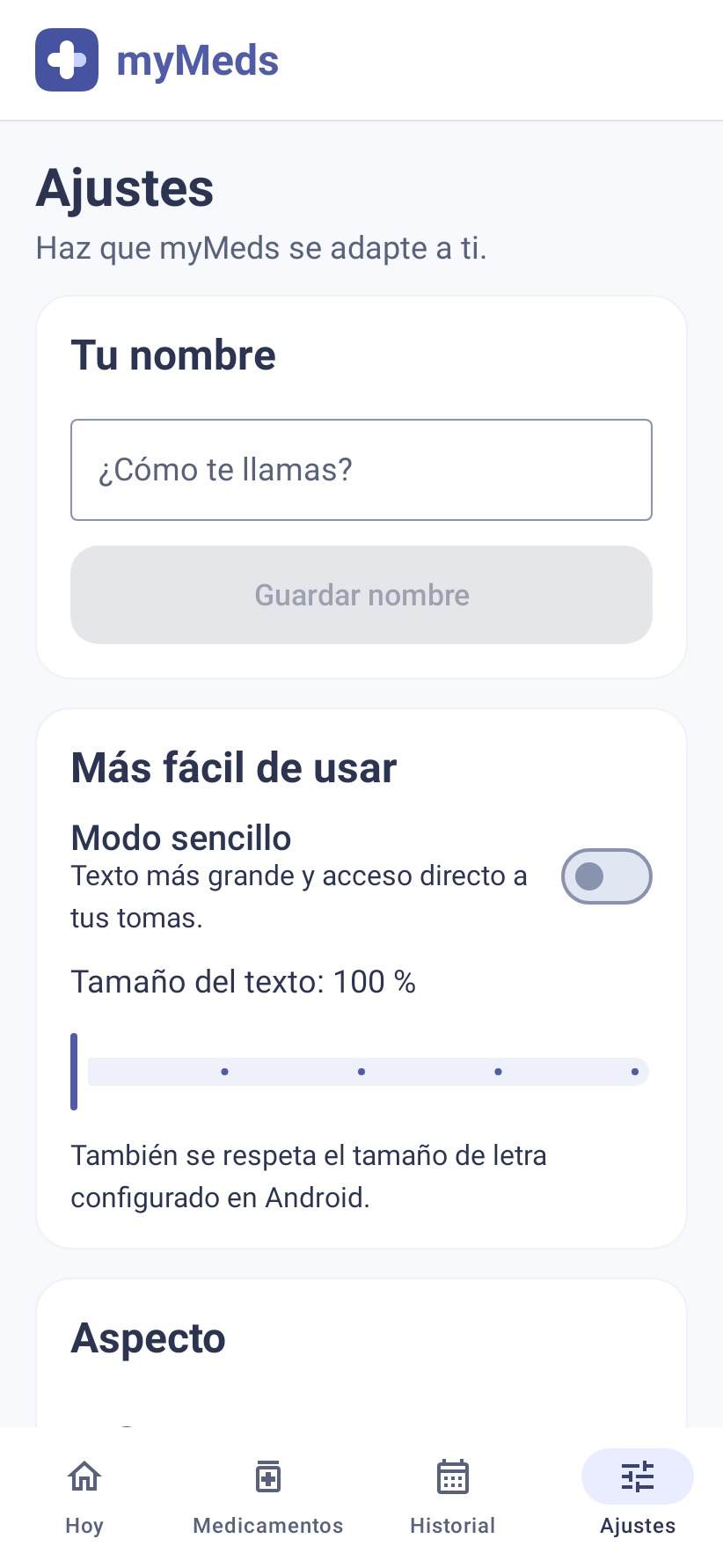
Adjust text size and enable simple mode to focus on the next dose.
Choose your theme or follow the system. Customize the name in the greeting.
Export medication, schedules and history, and restore the backup from Settings. Store it privately: the file is readable.
THE SAME DAY, YOUR WAY
Choose a light or dark theme. Simple mode enlarges text and gives direct access to the next dose.

MYMEDS ON YOUR PHONE
Download myMeds 1.5.0 for Android 8.0 or later. Direct-install APK for personal use and testing; it is not published on Google Play.
Open the APK from Downloads and, if Android asks, allow installation from that file manager. Then review permissions in the app.
USAGE LICENSE
The original myMeds components retain their free-use license. This version includes DDInter data with its own noncommercial terms.
Free installation and use under the myMeds license. The included DDInter dataset is subject to CC BY-NC-SA 4.0 and does not allow commercial use.
Selling, renting or charging for access to the application is not permitted. Share the official download link.
The license does not restrict your data or results. Third-party libraries retain their own licenses.
Informational summary of the terms for the original myMeds components.
Read the full license ↗ DDInter attribution and license ↗BEFORE YOU START
Yes. The app is free. Its original components retain their license and the included DDInter data is distributed under CC BY-NC-SA 4.0 for noncommercial use. Read both sets of terms in the license section.
myMeds runs on Android 8.0 or later. The download is a direct-install APK; this version is not on Google Play. There is no iPhone version in this release.
You do not need an account. Reminders, history and the included interaction lookup run locally. Downloading or updating the AEMPS catalog and leaflets requires Internet access; downloaded content can then be read offline. Export a backup of your records from Settings.
Allow notifications and exact alarms in the app settings. On Android 14 or later, also check full-screen notification permissions. Test a reminder with the phone locked and check its sound and vibration.
Yes. Postpone the reminder by 5, 10 or 15 minutes, skip it or confirm the dose. Confirmation records the actual time. Closing a notification does not automatically mark a dose as taken.
Export a backup from Settings and restore it on the new device. Then check permissions and sounds. The backup contains readable information: store it privately.
Volume, Do Not Disturb, permissions and battery restrictions may affect reminders. After restarting, unlock the phone at least once. If you force-stop myMeds, reopen it to restore reminders.